 Redact Photo
There's a reason the emoji-over-face has become the internet's default polite anonymization: it hides identity without changing the mood. Blur says “redacted”; 😎 says “they were there and it was great.” Placing them by hand in a sticker editor, though, gets old by the third face.
Why Emoji Beats Blur for Social Posts
Masking is communication. A blurred face makes viewers wonder what's wrong; an emoji reads as a choice. For group shots, kids' photos, and anything celebratory, emoji masking preserves the photo's energy while doing the same privacy job: the face underneath is completely covered, and the export is flat pixels, not a movable sticker someone can nudge aside.
Auto-Place Emojis on Faces (Step by Step)
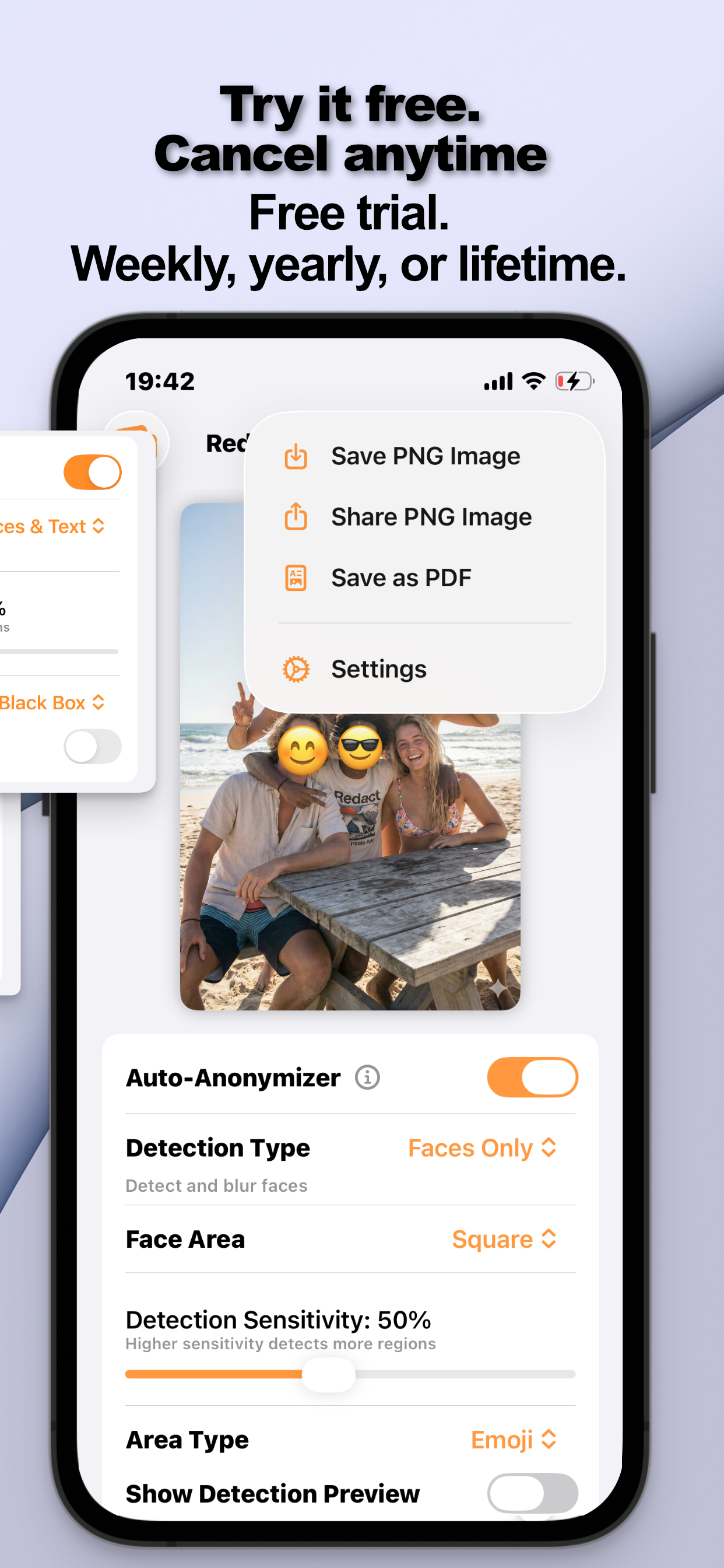
- Open your photo and auto-detect facesThe Auto-Anonymizer finds every face in the shot, including the ones in the background you'd forget.
- Set the Area Type to EmojiEvery detected face is covered by an emoji, sized to the face it's hiding.
- Pick the emojiTap “change emoji” and choose whatever fits, 😂 for friends, 😎 for the beach crew, 🐻 for the kids. One choice applies across the photo.
- Export and shareSave the copy. The emojis are baked into the image itself, so they can't be removed or repositioned by anyone downstream.
Emoji on Text, Too
Running the combined Faces & Text detection mode lets you drop emojis over text regions as well, a lighthearted way to hide a name tag or a street sign in an otherwise casual post.
When Not to Use Emoji
Documents, IDs, screenshots with account numbers: anything where the hidden content is information rather than identity, deserve the opaque treatment instead. Use the Black Box style there; here's why that matters. And for a full walkthrough of masking children's photos specifically, see hiding your child's face.
Try it on your own photos
Redact Photo is free to download with a fully unlocked 3-day free trial, mask your first photo in the next two minutes, without it leaving your phone.
Get Redact Photo on the App Store