 Redact Photo
Someone in the photo didn't agree to be posted. A stranger wandered into the frame. A coworker's face doesn't belong in your public recap. Whatever the reason, blurring faces is the most common photo-privacy task there is, and doing it by hand is the slowest possible way.
Your Options for Blurring a Face
iOS Markup can blur, but you're finger-painting the region yourself: fine for one face, tedious for three, sloppy at the edges. Generic editors like Snapseed give you manual lens blur made for aesthetics, not anonymity. Web-based “blur face” tools auto-detect, by having you upload the photo you're trying to make private to their servers. A dedicated on-device redaction app removes the trade-off: automatic detection, real masking, nothing transmitted.
Blur Faces with Redact Photo (Step by Step)
- Open the photo in Redact PhotoPick any image from your library. Everything that follows happens on your iPhone, the photo is never uploaded.
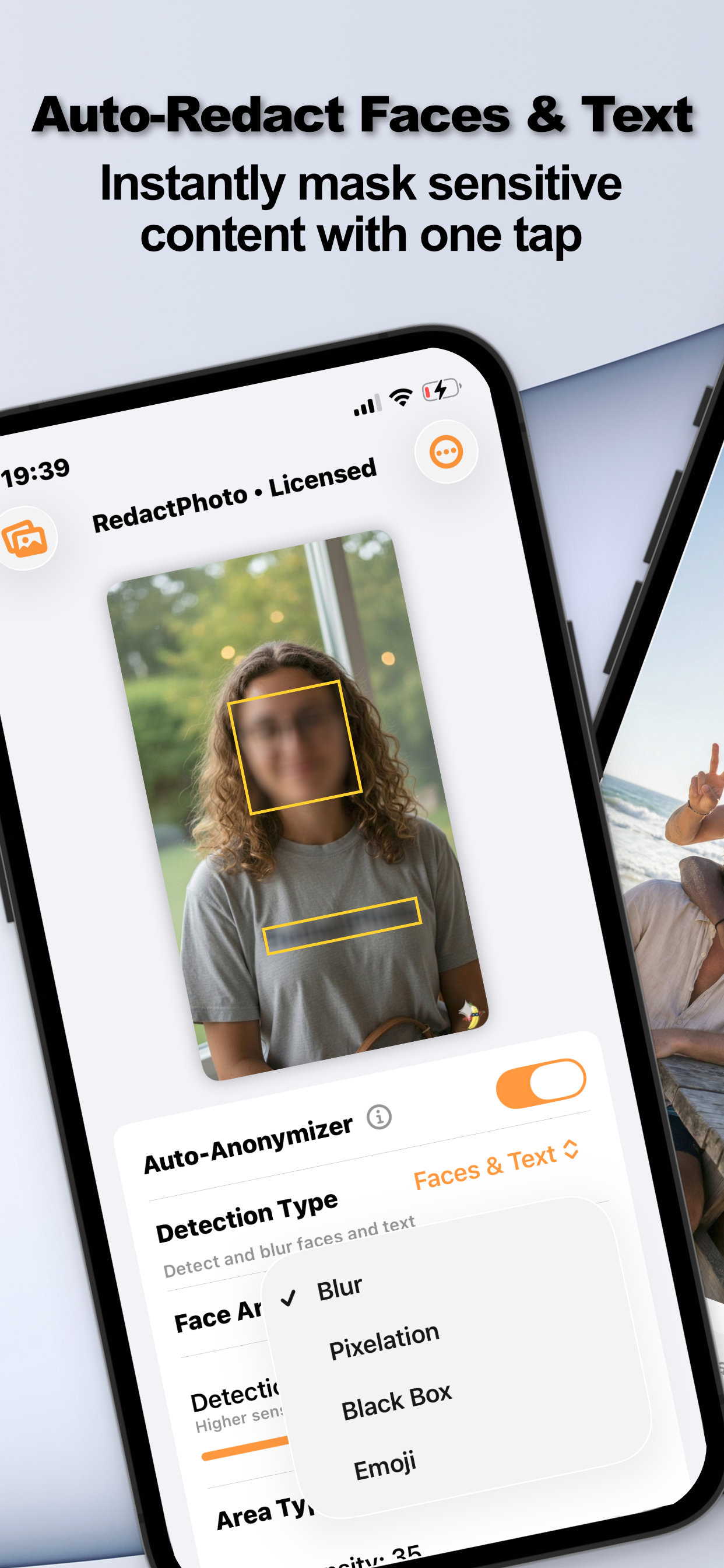
- Turn on the Auto-AnonymizerSet Detection Type to Faces. The on-device AI finds every face; use the detection preview to confirm, and nudge the sensitivity slider if someone was missed.
- Choose the mask style and shapeBlur, Pixelation, Black Box, or Emoji: in a circular or rectangular area. For a single stray face you can also select the region manually with pixel-perfect zoom.
- Export the clean copySave as PNG or JPG (or a PDF), optionally stripping EXIF and GPS metadata in the same pass. Your original photo stays exactly as it was.
Pick the Right Mask for the Moment
Blur is the polite default. Pixelation reads deliberate and broadcast-like. Black box is for when the face genuinely must not be identifiable. Emoji keeps party photos feeling like party photos. All four are flattened into the exported image, none of them are removable stickers.
Whole Group to Anonymize?
Detection scales better than your finger does: a crowd shot is the same one-tap flow. See blurring multiple faces in a group photo.
Try it on your own photos
Redact Photo is free to download with a fully unlocked 3-day free trial, mask your first photo in the next two minutes, without it leaving your phone.
Get Redact Photo on the App Store