 SmartMerge
An 11-hour recording without chapters is a wall. The same recording with markers at every lecture, segment, or scene is a table of contents you can listen to.
On desktop, adding chapters means dedicated tagging software and manual timestamps. On iPhone, there's a much simpler mental model: your chapters already exist, they're the separate recordings you're about to merge.
What Chapter Markers Actually Do
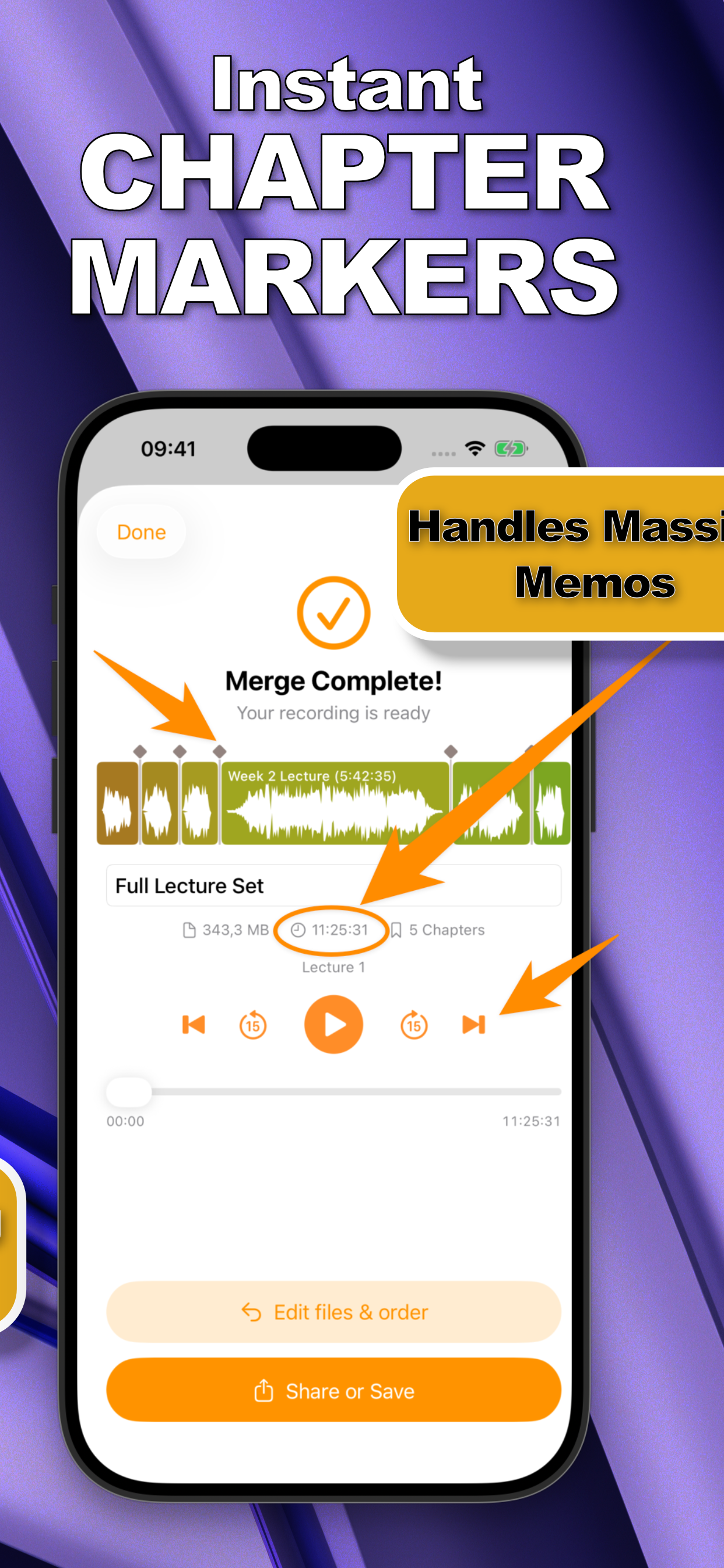
A chapter marker is a named point in an audio file that players can jump to directly. In a merged file, markers mean you skip to lecture three, replay the interview, or find the second half of the session: without scrubbing. SmartMerge shows chapters on the waveform as diamond markers and lets you skip between them in its player.
The Manual Way (and Why It's Painful)
Traditional chaptering: play the whole file, note timestamps, enter them into a tagging tool, re-export, discover one is 40 seconds off, repeat. It's tedious enough that almost nobody chapters personal recordings, which is why the automatic approach matters.
Add Chapters Automatically by Merging (Step by Step)
- Keep (or split) your audio as separate clipsEach clip becomes a chapter, so record in natural units: one lecture, one podcast segment, one scene per recording.
- Share the clips to SmartMergeSelect them in Voice Memos or Files, tap Share, and choose “Merge with SmartMerge.”
- Order the clipsDrag them into the sequence you want, the chapter order matches the clip order.
- Merge and navigate by chapterTap Merge. Every clip boundary becomes a marker; the built-in player skips between them, and the chapter count is shown right on the result screen.
Where Chapters Shine
- Lectures: one chaptered file per week beats forty loose memos, see combining lecture recordings.
- Podcasts: listeners skip between episode segments.
- Game sessions: every scene of a D&D session is one tap away.
- Interviews & research: each question or subject gets its own marker.
Try it on your own recordings
SmartMerge is free to download with a fully unlocked 3-day free trial, merge your first files in the next two minutes.
Get SmartMerge on the App Store