 SmartMerge
It's one of the most-asked iPhone audio questions, usually typed mid-frustration with a thumb hovering over two halves of the same meeting. So let's answer it properly, compare every real option, and get your recordings joined.
The Short Answer
Apple's Voice Memos app cannot merge recordings, not in any iOS version to date. You can record, trim, resume, and replace within a single memo, but two separate memos can never become one inside Apple's app. To merge, you need one of four workarounds.
Your Four Options, Compared
- GarageBand (free, slow): save each memo to Files, create a project, drag clips onto tracks, align them by hand, export. It works, but it's a multi-track music tool doing a one-tap job, and it adds no chapter markers.
- A computer: AirDrop the files to a Mac and join them in an editor. Fine if you're at a desk; useless in the moment.
- Online audio joiners: free websites that make you upload your audio. For private recordings, meetings, lectures, interviews: handing files to an unknown server is a real privacy trade.
- A dedicated joiner app: purpose-built merging on the phone itself. SmartMerge goes one further with a native share extension, so the merge starts inside Voice Memos rather than in another app's import screen.
The Fastest Method: Merge From the Share Sheet
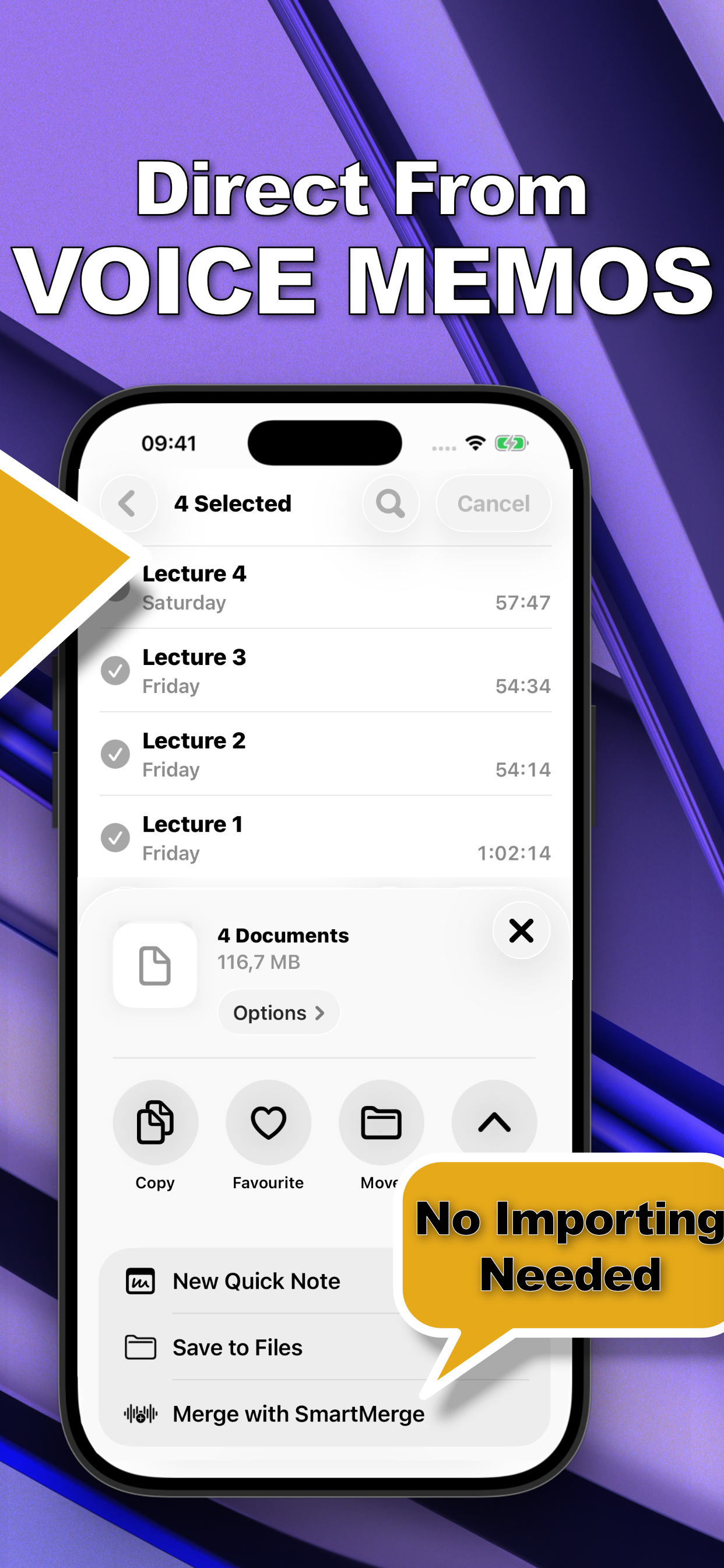
- Select your recordings in Voice MemosOpen Apple Voice Memos, tap Edit (or long-press a recording), and select every clip you want to join. You can pick as many as you need, SmartMerge handles hours of audio.
- Share to SmartMergeTap Share and choose “Merge with SmartMerge” from the share sheet. Your clips open in SmartMerge instantly, no exporting, no importing, no file juggling.
- Order your clips and set Auto-TrimDrag and drop the clips into the order you want. Optionally turn on Auto-Trim to cut 2, 3, or 5 seconds of mic fumbles and dead air from the start and end of every clip.
- Merge, then share or saveTap Merge. Seconds later you have one seamless audio file with a chapter marker where each clip begins, ready to share, save to Files, or archive.
Which Option Should You Pick?
If you merge audio once a year and enjoy tinkering, GarageBand costs nothing but time. If your recordings are private or long, or you do this weekly, a dedicated merger pays for itself immediately: SmartMerge merges entirely on-device, survives multi-hour files, auto-trims the fumbles, and drops a chapter marker at every join. There's a fully unlocked 3-day free trial, so you can test it on your actual recordings first.
Try it on your own recordings
SmartMerge is free to download with a fully unlocked 3-day free trial, merge your first files in the next two minutes.
Get SmartMerge on the App Store