 SmartMerge
Most advice for combining audio still assumes a desktop: export to iTunes, open Audacity, build a GarageBand project. That advice is a decade old. Your iPhone can merge hours of audio by itself, if you use a tool actually built for it.
Why People Still Think They Need a Computer
For years the honest answer to “how do I combine recordings on iPhone?” was “you don't, transfer them to a computer.” Apple never added merging to Voice Memos, and early third-party editors crashed on anything longer than a song. Both problems are solved; the old forum answers just haven't caught up.
The Privacy Problem with Online Audio Joiners
The other “no computer” route is a free audio-joiner website. Consider what that means: your meetings, lectures, therapy notes, or interviews uploaded to a server you know nothing about, processed, stored for some undefined period, then downloaded back. For personal voice recordings that's a poor trade for a merge button. On-device merging removes the question entirely, your options compared here.
Combine Audio Files On-Device (Step by Step)
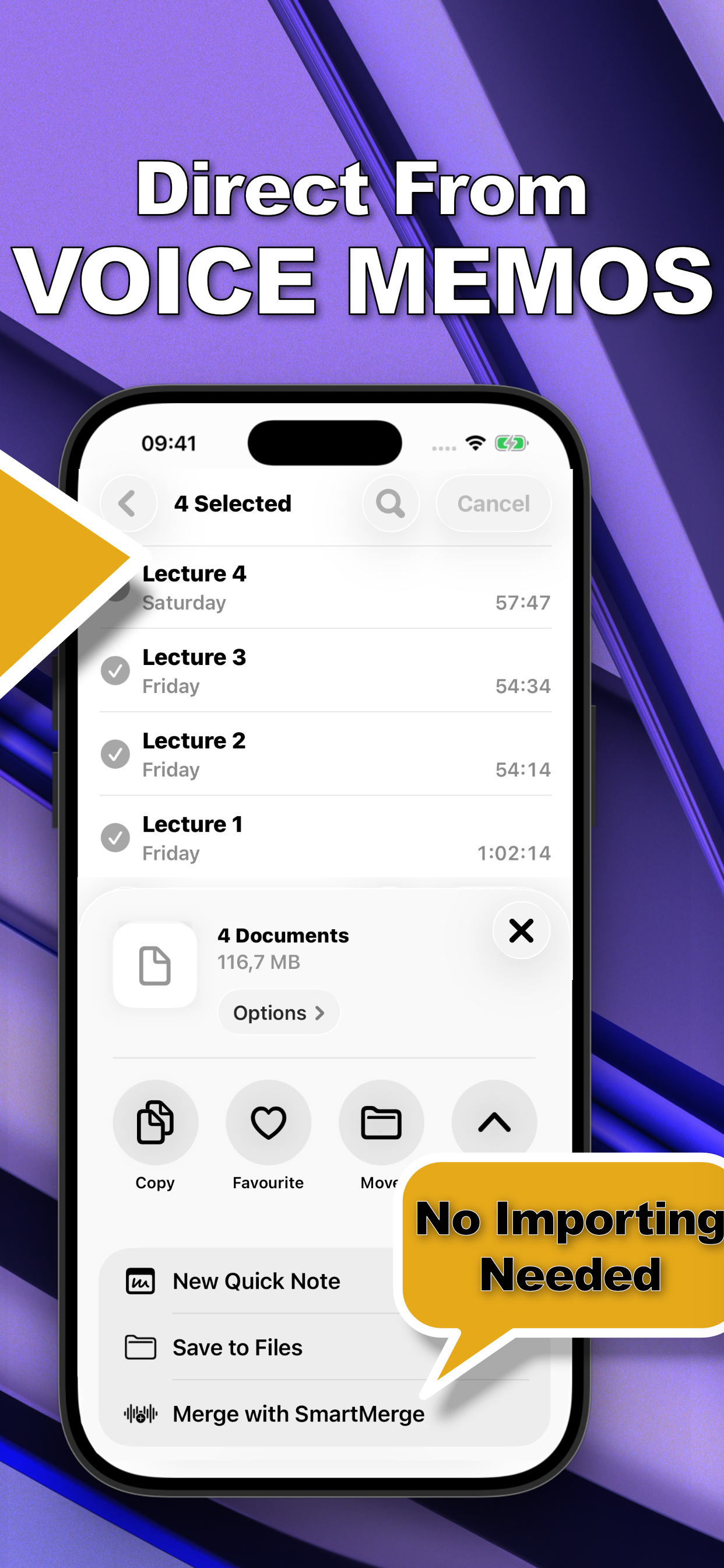
- Select your recordings in Voice MemosOpen Apple Voice Memos, tap Edit (or long-press a recording), and select every clip you want to join. You can pick as many as you need, SmartMerge handles hours of audio.
- Share to SmartMergeTap Share and choose “Merge with SmartMerge” from the share sheet. Your clips open in SmartMerge instantly, no exporting, no importing, no file juggling.
- Order your clips and set Auto-TrimDrag and drop the clips into the order you want. Optionally turn on Auto-Trim to cut 2, 3, or 5 seconds of mic fumbles and dead air from the start and end of every clip.
- Merge, then share or saveTap Merge. Seconds later you have one seamless audio file with a chapter marker where each clip begins, ready to share, save to Files, or archive.
What About GarageBand on iPhone?
GarageBand is free and technically computer-less, and for a one-off merge it can work. But it's a music production app: you'll save files to its import folder, place clips on tracks, align them by hand, and export: ten minutes of project management for a ten-second job, with no chapter markers and no auto-trim at the end. If you merge audio more than once, the share-sheet flow wins on every count.
Try it on your own recordings
SmartMerge is free to download with a fully unlocked 3-day free trial, merge your first files in the next two minutes.
Get SmartMerge on the App Store